Internal documentation: a practical guide for teams
Internal documentation is the writing your team does for itself. Here are the types, the internal-vs-external line, and how to keep docs people actually find.
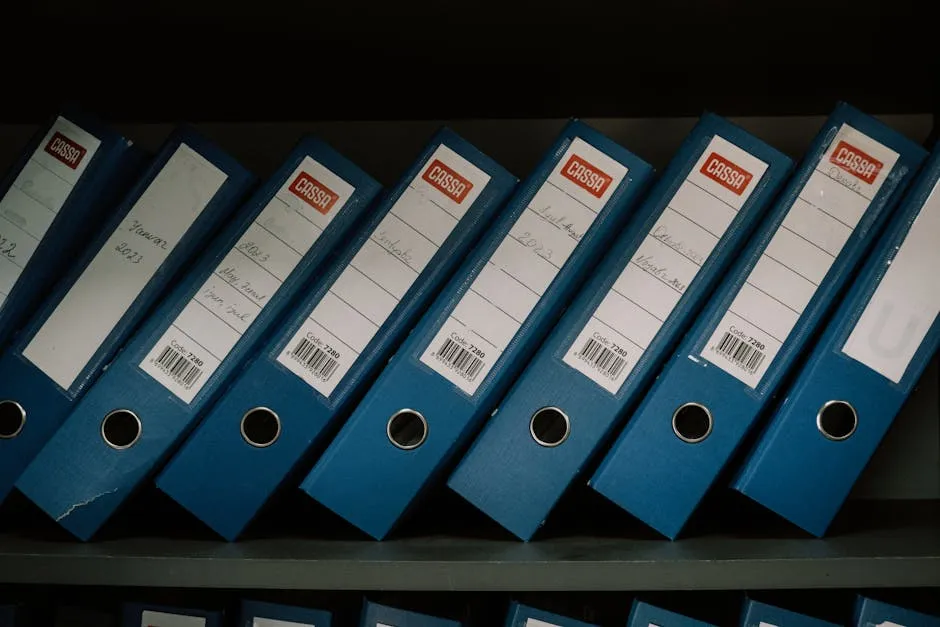
TL;DR. Internal documentation is the writing your team does for itself — runbooks, process docs, onboarding, decision records — as opposed to the writing it does for customers. It only pays off when two things are true: someone writes it down, and everyone else can find it later. Most teams manage the first occasionally and the second almost never. This is how to get both.
Internal documentation is the set of notes a team writes so it doesn't have to explain the same thing twice. (You will still explain it twice. You'll just have somewhere to point the second time.) It covers how your systems work, how your processes run, what you decided and why, and where the new person should start on day one.
Most teams treat documentation as a writing problem. It is actually two problems wearing one coat: writing it down and finding it again. The first is a culture problem. The second is a tooling problem. Teams pour all their energy into the first, ship a wall of pages nobody can locate, and conclude that documentation "doesn't work here." It worked fine. The filing did not.
Internal documentation is the writing; the wiki is where it lives
Internal documentation is any reference material created for people inside an organisation — employees, contractors, the on-call engineer at 2 a.m. — rather than for customers. It captures process, technical detail, decisions, and onboarding knowledge so the team can do the work without interrupting the one person who remembers how. That is the whole definition; everything else is types and discipline.
Here's the distinction the top results blur: the documentation is the writing, and the knowledge base is the shelf you put it on. You can have excellent documentation scattered across Google Docs, three Slack threads, and one engineer's head — which is to say you can have excellent documentation and no working internal documentation at all. The artefact only counts once it's somewhere the team looks. If you're standing the shelf up from scratch, our how to build a knowledge base guide covers the order of operations; this post is about what goes on it.
The seven types most teams actually keep
The category lists you'll find elsewhere run to a dozen buckets. In practice a small technical team keeps seven, and most of the value is in the first four:
- Process documentation and SOPs — how a recurring task gets done. Releases, access requests, the expense flow nobody can ever remember.
- Technical and engineering documentation — architecture notes, service ownership, config, the why is it built this way that a diagram never explains. Engineering documentation is the type that rots loudest when ignored, because the code keeps moving and the page doesn't.
- Runbooks and operational docs — the step-by-step for when something is on fire. See how to write a runbook; a runbook that's out of date is worse than none, because it's confident.
- Onboarding documentation — what the new hire reads in week one. The cheapest way to find out your docs are stale is to watch someone follow them for the first time.
- Decision records — what you decided, when, and why, so the question doesn't get re-litigated every quarter. A team charter is the same instinct pointed at how the team works rather than what it built.
- Project documentation — briefs, plans, retrospectives, the occasional postmortem.
- Reference material — the lookup tables, glossaries, and "what does this acronym mean" pages that exist so a meeting doesn't have to.
The fastest way to start is to stop treating these as separate software. They are all just pages. (The industry has spent twenty years building seven different tools to store seven kinds of paragraph. The paragraph did not ask for this.) If you want proof a single wiki can hold all seven in the open, GitLab's public company handbook is the canonical example — thousands of internal pages anyone can read.
Internal vs external documentation, and why the line matters
External documentation is for people outside the company: customers, integrators, the public. Internal documentation is for the people inside it. They look similar and they are not the same job, and putting one where the other belongs is how both end up bad.
| Dimension | Internal documentation | External documentation |
|---|---|---|
| Audience | Your team, contractors, on-call | Customers, integrators, public |
| Tone | Direct, assumes context | Polished, assumes nothing |
| Optimises for | Speed of retrieval | Clarity for a stranger |
| Where it lives | Internal wiki | Help centre / docs site |
| What breaks if wrong | The team trips quietly | The customer churns loudly |
The honest version: external documentation needs a help-centre product with branded themes, public search, and customer logins. Raccoon Page is not that, and we'll tell you so on the pricing page rather than after you've paid. Internal documentation needs the opposite — it needs to be fast, permissioned, and ferociously findable for the fifteen people who live in it. That's the half we built for.
How to create internal documentation that survives the team
Creating internal documentation is less about the writing and more about the order. Do it like this:
- Pick the place first. One wiki, one search box. If your docs live in four tools, you have four tools' worth of "where was that" and zero working documentation.
- Write for the next hire, not for yourself. You already know it. Write down the part you'd skip.
- One page, one job. A page that documents the release process and the on-call rotation and the laptop policy documents none of them.
- Put the answer in the first line. Nobody reads a documentation page top to bottom. They search, they land, they want the answer in the first sentence. Our how to write a knowledge base article guide is the long version of this rule.
- Give every page an owner. A doc with no owner is a doc with no future. Ownership is the difference between a living page and a fossil.
- Set a review date when you write it, not when it breaks.
- Link it where the work happens. A page nobody links to is a page nobody finds. Drop it in the runbook, the ticket template, the onboarding checklist.
If you want a sharper framework for the shape of each page, the Diátaxis model splits documentation into tutorials, how-tos, reference, and explanation — a useful lens for working out which kind of page you're actually writing before you start.
None of this is hard. All of it is boring, which is why it doesn't happen. The teams with good internal documentation aren't better writers. They're just slightly less willing to let a page go stale.
The boring best practices that actually keep docs alive
Most internal documentation best-practice lists tell you to "write clearly" and "use headings," which is true and useless. Here's the part they skip: every document has a half-life, and you should set its review cadence by how fast it decays.
Runbooks and config docs rot fastest — the system underneath them changes weekly, so they need a check every quarter or they start lying. Onboarding docs decay every time a tool in the stack changes. Decision records, on the other hand, are nearly immortal: a record of what you decided in March and why doesn't go stale, because it's a fact about the past. Stop reviewing everything on the same schedule. Review the fast-decaying pages often and leave the durable ones alone.
The rest of the list is short:
- Make recency visible. A "last updated" date on every page tells the reader whether to trust it. A page with no date is a page you read nervously.
- Delete more than you think. A wiki that only grows becomes a wiki where search returns 47 results from 2019. The two ways documentation fails are empty and full — and full is the one nobody fixes.
- Keep sensitive material permissioned, not absent. The HR handbook and the incident with legal both belong in the wiki; they just don't belong to everyone. Org, space, and page permissions exist for exactly this.
Why documentation is worth it, and the one time it isn't
Why is documentation important? Because the alternative is asking a coworker, and the coworker is in a meeting. Internal documentation is the difference between a team that scales and a team where three people are load-bearing and can never take a Friday off. When the docs are good, the answer is a search away. When they're bad, the answer is a calendar invite.
But here's the opinion this post will defend: a wiki has to let you find the answer faster than asking a coworker, or your team will ask the coworker every time. If looking it up is slower than typing in Slack, looking it up loses — every time, no exceptions. That's why retrieval is the whole game. Raccoon Page renders pages in 50-150ms on a normal connection with typo-tolerant search across every space, so the wiki beats the DM. Sub-second loads, keyboard-first; the documentation only helps if you can get to it before you give up.
We keep a postmortem in our own wiki about a caching failure that once dragged page loads to 14 seconds. The joke that wrote itself: on the old system, the postmortem about the slow wiki took 14 seconds to load. Documentation you can't retrieve isn't documentation. It's a rumour with a URL.
And the one time internal documentation isn't worth it: when nobody on the team will write it. A tool can make what you wrote impossible to lose. It cannot make a team that doesn't write start writing. If you're a two-person shop where everything fits in two heads, you don't need a documentation system — you need a shared note and a good memory. Buy the wiki when the heads stop fitting. We'd rather tell you that now than sell you a plan you'll resent.
Things people actually ask
What is an example of internal documentation? A runbook for restarting a service, an onboarding checklist for week one, a process doc for how releases ship, or a decision record explaining why you picked Postgres. Anything written for the team rather than the customer counts.
What's the difference between internal documentation and a knowledge base? Internal documentation is the writing; the knowledge base is the system it lives in. You can have one without the other, which is exactly the problem most teams have — plenty of docs, no findable home.
What are the types of internal documentation? Process and SOPs, technical and engineering documentation, runbooks, onboarding, decision records, project docs, and reference material. Most teams get the bulk of the value from the first four.
Why is documentation important if everyone already knows how things work? Because "everyone" is three people, and the knowledge leaves when they do — on holiday, in a meeting, or for a new job. Documentation turns load-bearing humans back into ordinary ones.
How often should internal documentation be updated? Set the cadence by decay rate. Review runbooks and config docs quarterly, onboarding whenever the stack changes, and decision records basically never — they describe the past, and the past is stable.
Where should engineering documentation live? Next to the rest of the team's docs, in one searchable wiki — not in a separate tool only engineers open. The architecture note and the onboarding page get read by the same new hire in the same week.
What's the best tool for internal documentation? The one your whole team will actually open, which means fast and searchable beats feature-rich and slow. Whatever you pick, make sure you can import what you already have and move it out later — portability is the difference between a tool and a trap. If you want to go deeper on the craft itself, the Write the Docs community is the best-known gathering of people who do this for a living.
Internal documentation is the unglamorous work that decides whether your team scales or just gets more meetings. The writing is the part you control; the finding is the part a wiki either helps with or quietly sabotages. Get a place that's fast, searchable, and permissioned, write the page once, and point at it the second time someone asks.
Raccoon Page Free is three users, one space, a hundred pages, no card — enough to find out whether the thing your docs were missing was a writer or a shelf. Worst case, you write everything down and still get asked in person. At least now you can point.
Written by The Editorial Raccoon — house style for Raccoon Page. Numbers and claims pulled from product reality; jokes pulled from the Raccoon Corp canon. No raccoons were quoted in real life.