Version control for documents: a practical guide
Version control for documents means every edit is tracked and reversible — no more final-v3-FINAL.docx. How it works, the best practices, and the right tools.
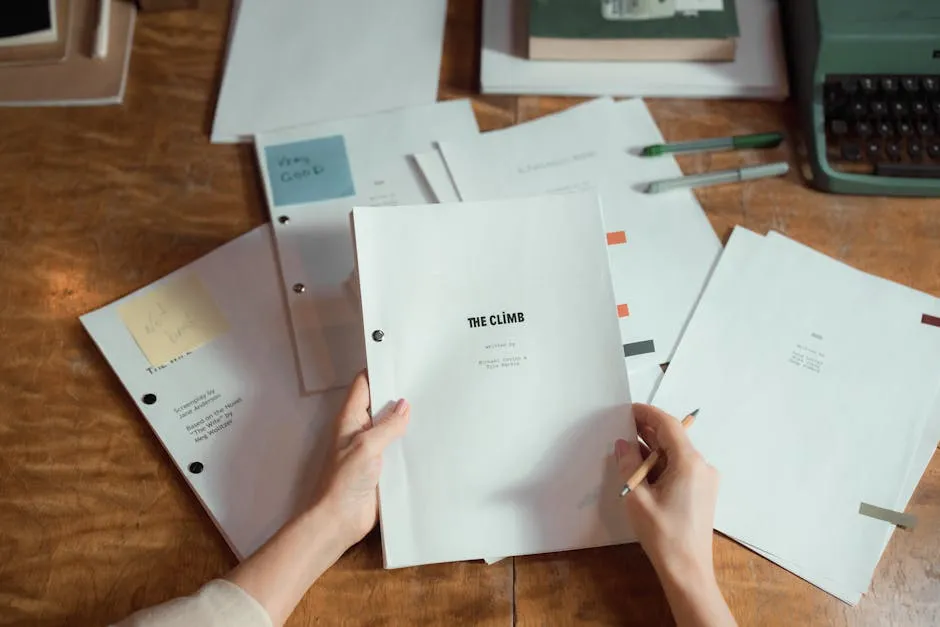
TL;DR. Version control for documents is the practice of tracking every change to a file so you always know which copy is current, what changed, and how to get an older version back. Done by hand, it's a naming convention and a prayer. Done by software, it's automatic history, a diff, and a one-click restore. The whole trick is picking a tool that versions for you, so you never type "v2" again.
We've all met the file. It's called
proposal-final-v3-FINAL-actually-use-this-one.docx, it lives
halfway down an email thread, and at least three people are
editing a slightly different copy of it right this second.
Version control for documents is how you stop meeting that file.
It is, mostly, the practice of letting software remember your
edit history so you don't have to remember it with filenames and
hope.
The good news is that this is a solved problem. The mildly annoying news is that "solved" means picking the right tool and then actually using it, which is the part where most teams quietly go back to the email thread.
What version control for documents actually is
Version control for documents is the practice of saving every revision of a file as a distinct, retrievable version, so a team always knows which copy is current, what changed between versions, and how to roll an old one back. It replaces the attachment shuffle with one source of truth and a complete history of how the document got there.
The distinction that matters is overwrite versus new version. When you save over a file the normal way, the previous state is gone — you've got the present and nothing else. A version control system does the opposite: every save creates a new snapshot and keeps the old ones, linked in order, each one stamped with who changed it and when. The current document is just the most recent snapshot in a line you can walk backwards any time you like.
That history is the entire point. A document without version control is a rumour about its own past: you can see what it says now, but not what it used to say, who changed it, or why. The concept isn't new — it came up through software, where engineers have tracked every line of every file for decades. The rest of us just want the same thing for the things we write in sentences.
The file named "FINAL" is version control done by hand
Here's the part most guides bury under "best practices": a naming convention is version control. It's just version control done by hand, badly, by a human who is also trying to do their actual job.
report-v1.docx, report-v2.docx, report-v2-jane-edits.docx,
report-FINAL.docx, report-FINAL-2.docx. That string of files
in a shared drive is a manual versioning system with no diff, no
merge, no audit trail, and one terrifying failure mode: two
people open report-FINAL.docx, both make changes, both save,
and one of them silently wins. Nobody finds out until the wrong
sentence ships.
Date-stamped filenames are the slightly more disciplined version
of the same workaround. 2026-06-09-report.docx at least sorts
correctly. It still can't tell you what changed between Tuesday
and Wednesday, and it still falls apart the moment two people
save on the same day. The naming convention is doing the tool's
job, and the naming convention does not get a weekend off.
The honest read: every time you name a file "v2", you've found a feature your tool should have shipped and didn't. Good document version control means you never name a file "final" again, because the system already knows which version is final — it's the last one.
How document version control works
Strip away the marketing and a version control system for documents answers two questions: what changed? and can I go back? Everything else is plumbing for those two.
- Versions. Each save is a snapshot. The system keeps them all, in order, instead of throwing the old one away.
- Diffs. A "diff" shows you exactly what changed between two versions — which words went in, which came out. This is the difference between "the doc was edited" and "Jane changed the launch date from the 14th to the 21st."
- Restore. When version 8 was a mistake, you roll back to version 7 in one click. The bad version doesn't even get deleted; it just stops being current.
- An audit trail. Every version carries a name and a timestamp, so "who wrote this and when" is a fact, not an argument.
- No silent overwrites. A real system either locks a file while someone edits it, or — better — lets people co-edit live and merges the changes, so no one's work quietly disappears.
Chrome Claw, who works on our backend, refuses to call any of this magic. In his telling, a version is a row, a diff is two rows compared, and restoring is just pointing "current" at an older row. He is correct, and it is much less romantic than it sounds. It's also exactly why the feature is boring and reliable instead of exciting and occasionally on fire.
The version history that powers a good internal wiki is the same idea applied to team knowledge: every edit preserved, every change saved with a full diff view, one-click revert to any previous version. The runbook someone edited under pressure at 2 a.m. is recoverable precisely because the old version never left.
Document version control best practices
Most best-practice lists for document version control tell you to "use clear naming" and "communicate changes," which is true and nearly useless. Here's the shorter list that actually keeps a team's documents trustworthy:
- Let the tool version, not your filenames. The single biggest upgrade is moving from "saved copies in a folder" to a system that versions automatically. Stop doing the machine's job.
- Keep one source of truth. One canonical document, one place. The copies are the problem; every duplicate is a future "which one is right?"
- Write a real change note. "Updates" tells the next person nothing. "Moved launch to the 21st, dropped the EU section" tells them everything. The note is half the value of the version.
- Give every document an owner. A document nobody owns is a document nobody keeps current. Ownership is the difference between a living page and a fossil with good formatting.
- Make versions comparable. If you can't see what changed between two versions side by side, you don't have version control — you have backups. The diff is the feature.
- Keep history, but permission it. Old versions are an asset, not clutter. Keep them. Just make sure the salary doc's history isn't readable by the whole company.
- Set a review date by how fast the document decays. Fast-moving docs need a check every quarter; a decision record describing what you chose in March is stable forever. We go deeper on this in our internal documentation guide.
None of these are hard. All of them are boring, which is why they don't happen on their own. The teams with trustworthy documents aren't more disciplined people — they just picked a tool that makes the disciplined thing the default thing.
The tools, and the one job each does well
There is no single best version control system for documents. There's a best one for your document, which depends mostly on what the document is and who's editing it. Here's the honest map:
| Tool | Versions well | Falls short when |
|---|---|---|
| Google Docs / Microsoft 365 | Live co-editing, automatic named versions, real-time | History gets noisy; weak structure across many docs |
| SharePoint / Dropbox | File-level versioning across a whole drive | No in-document diff; the drive is a folder, not a wiki |
| Git | Line-perfect history for plain-text and Markdown | Brutal for non-technical writers and prose-heavy docs |
| A wiki | Team knowledge that's edited often and read constantly | Not where your source code or 50-tab spreadsheet belongs |
A few honest calls fall straight out of that table. For source code, use Git — it's the best version control ever built and it is genuinely not us. For a one-off document two people touch casually, Google Docs version history is plenty; you don't need a system for that, and we'll say so. If your needs are formal — a regulated industry with ISO 9001-style document control — you want software built for controlled documents, approvals, and signatures.
Where a wiki earns its place is the large, living middle: the process docs, runbooks, decision records, and onboarding pages a team edits weekly and reads daily. That's the knowledge that has to be both versioned and findable, and the two requirements pull on each other — a history nobody can search is a history nobody uses. Raccoon Page keeps every edit with a full diff and one-click revert, renders pages in 50-150ms so the history is actually fast to browse, and lets you export everything as Markdown anytime so the versions stay yours. Sub-second loads, keyboard-first; the history only helps if you can reach it before you give up.
And the one time you should skip all of this: when the document doesn't matter enough to track. A grocery list does not need an audit trail. Neither does the meeting note three people will never reopen. Version control pays off on documents with a future — the ones someone will read, trust, or argue about later. For everything else, save the file and move on.
Things people actually ask
What is document version control? It's the practice of saving each revision of a document as its own retrievable version, so you always know which copy is current, what changed between versions, and how to restore an older one. Software does it automatically; the manual version is naming files "v2" and hoping.
What's the difference between version control and just saving copies? Saved copies are disconnected files with no diff, no audit trail, and no protection against two people overwriting each other. Version control links the snapshots in order, shows you exactly what changed, and lets you roll back without losing anything. Copies are a folder; version control is a history.
Do I need version control software, or is Google Docs enough? For a doc two people edit casually, Google Docs version history is enough. The moment you have a body of documents that many people edit and rely on — runbooks, processes, decisions — you want a system built to version and search all of them together, not one file at a time.
How should I name document versions?
Ideally you don't. The point of a real version control system is
that the tool tracks versions so your filename doesn't have to.
If you're stuck doing it by hand, use a consistent scheme —
name-YYYY-MM-DD or name-v1, name-v2 — and never the word
"final."
Can you do version control in Word or Excel?
Yes, when the files live in OneDrive or SharePoint — Microsoft 365
keeps automatic version history you can view and restore. A bare
.docx emailed around has no version control at all; the history
comes from where the file lives, not the file format.
Is Git good for documents? For plain-text and Markdown documents edited by technical people, Git is excellent — line-perfect history and diffs. For prose documents shared with non-technical collaborators, it's overkill and the learning curve isn't worth it. Match the tool to the writer, not just the file.
How long should you keep old versions? Keep them as long as the document has a future someone might question — usually the life of the document plus a buffer. Storage is cheap; reconstructing a lost decision is not. Permission sensitive histories rather than deleting them.
Version control for documents is the unglamorous habit that decides whether "what did this say last month?" is a search or a séance. The writing is the part you do; the history is the part a good tool does for you, quietly, so the file named "FINAL" can finally retire.
Raccoon Page Free is three users, one space, a hundred pages, no card — enough to find out whether full version history changes how much you trust your own documents. Worst case, you keep one perfect record of every edit and still name a file "v2" out of habit. Old reflexes are hard. The restore button isn't.
Written by The Editorial Raccoon — house style for Raccoon Page. Numbers and claims pulled from product reality; jokes pulled from the Raccoon Corp canon. No raccoons were quoted in real life.